How to Choose the Right Desk Power Track Length

Time:2026-11-21 Author:Ethan
0%

Choosing a desk power track is not just a matter of matching the desk’s width. The right length should serve the equipment you use, preserve clear working space, and avoid an awkward overhang. A short track may leave a laptop charger or monitor plug out of reach. An oversized one can crowd the work surface and make cable routing harder.

This guide focuses on how to choose the right length for a desk power track by starting with the usable work area. Measure the section where devices actually sit, not automatically the desk’s full span. Note where the desk frame, monitor stand, or cable grommet limits placement. Then consider the reach needed for plugs and accessories. Leave room for connectors, too. They take space.

A reliable, topic-specific quotation from a named industry expert was not provided, so I won’t invent one. The practical principle here is simple: “Measure the active work zone, then allow only the extra reach your setup needs.” Treat that as guidance, not a universal formula. Your desk may have an unusual frame, a corner layout, or equipment that changes over time. Check the track’s actual dimensions and mounting requirements before deciding. Small details matter. A careful measurement now can prevent a poor fit later.
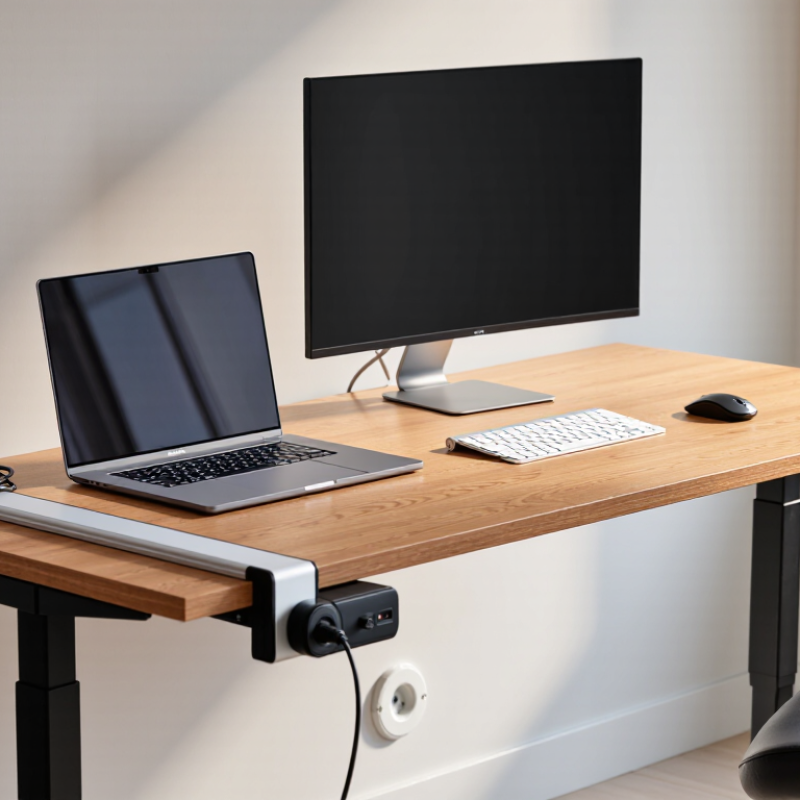
How to Choose the Right Desk Power Track Length

Identify Your Desk Power Needs and Device Count

How to Choose the Right Desk Power Track Length

Count every device that may need power during a normal workday: monitor, laptop, phone, desk lamp, speakers, and occasional chargers. Separate everyday plugs from items used only now and then. A simple list helps prevent choosing a track based on the laptop alone.

Next, check the plugs themselves. Large power adapters can block nearby outlets, even when the outlet count looks sufficient. Measure the adapter widths, or arrange them on paper to see how much space they occupy. Leave room for a hand to reach each switch or plug. Short cords matter, too; placing a track far from a device can leave cables stretched across the desk. Small details count.

Think about changes over time. You might add a second monitor or move a lamp, so a little spare capacity can be useful. But a longer track is not automatically better if it crowds the desk edge or leaves unused outlets in the way. My estimate would still be imperfect: devices change, and bulky plugs are easy to overlook. Before choosing a length, compare the track’s outlet spacing and mounting dimensions with your device list, then check its rated electrical load.

Length solves spacing, not overload.

Measure the Usable Space Along Your Desk

How to Choose the Right Desk Power Track Length

Measure the Usable Space Along Your Desk

Measure the clear, straight section where the power track will sit, not the desk’s full width. A monitor arm, raised edge, cable tray, or desk leg can take up space. Leave room at both ends so plugs and switches remain easy to reach. A tape measure helps; mark the planned track area with painter’s tape to see how it fits.

Check the underside as well as the top. Some desks have crossbars, drawers, or support brackets that limit mounting space. Measure from the actual mounting points, and note any obstructions along the route. If the track needs to sit near a corner, account for the curve or bevel. Small details matter.

It can be tempting to choose the longest track that fits on paper. But a tight fit may crowd a monitor clamp or leave no space for a cable to bend naturally. Compare the measured space with the track’s stated length and installation requirements, then leave a little clearance where practical. Recheck your measurements. I’d also reconsider the layout after placing the tape marks; the first position that looks tidy may be awkward to use. Choose a length that serves your everyday devices without blocking access or forcing cables into sharp bends.

How to Choose the Right Desk Power Track Length

Measure the usable space along your desk, then allow 5 cm of clearance at each end.

How to use this chart: The examples subtract 10 cm from each measured desk span to allow for end clearance. Choose a track no longer than the remaining usable length, and check the product’s installation requirements before fitting.

Check Outlet Locations and Cable Reach

How to Choose the Right Desk Power Track Length

Check Outlet Locations and Cable Reach

Before choosing a desk power track, locate the nearest wall outlet and measure the route to the track’s power inlet. Follow the actual cable path, including any drop behind the desk or detour around a leg. A straight-line measurement can be misleading. Leave a little slack so the cable does not pull tight when the desk moves or equipment shifts. But avoid loose loops where feet or chair wheels can catch them.

Check the cable’s specified reach, then test your measurement with the desk in its usual position. Account for drawers, monitor arms, and the gap between the desk and wall. If the outlet sits low behind a cabinet, reach it by hand before settling on a track length. Small details matter. I have found that a neat sketch helps, though it rarely captures every awkward corner.

Cable placement also deserves attention. The National Fire Protection Association’s report on home fires involving extension cords found an average of about 3,300 such fires annually from 2015 to 2019. That figure is not specific to desk tracks, but it reinforces the value of avoiding strained or poorly routed cords. Choose a track that reaches the outlet without stretching, and keep connections visible and accessible. Measure once, then recheck after the desk is installed. The first plan may be imperfect. That’s normal.

Compare Track Lengths and Mounting Requirements

Choosing a desk power track starts with the equipment you actually use. Measure the usable desk edge, not just the desktop’s full width. A short track may fit a laptop charger and lamp, while a longer one can serve shared workstations. Leave space near corners, monitor arms, and cable grommets. Those details are easy to overlook. Check the product’s outlet spacing too; bulky adapters can block neighboring sockets.

Tips: Place paper or removable tape along the proposed track length. Sit at the desk and check whether plugs remain within reach. Allow room for cables to bend without pressing against a wall or drawer. Measure twice. It sounds fussy, but it can prevent awkward placement.

Mounting requirements can narrow your options. Compare the track’s clamp range with the desk thickness, including any underside lip or support rail. For screw-mounted models, inspect the underside for braces, drawers, and other obstructions before drilling. Some desks have hollow or fragile surfaces, so confirm that the mounting method suits the material. A track that is technically the right length may still be impractical if its mounting hardware cannot clear the desk frame. Check the cable’s route to the wall outlet as well; sometimes the neatest-looking position creates a tight bend.

How to Choose the Right Desk Power Track Length — Compare Track Lengths and Mounting Requirements

Nominal Track Length Metric Length Suggested Desk Width Planning Clearance Mounting Considerations
12 in 305 mm 36–48 in (914–1,219 mm) Allow about 14 in (356 mm) of straight mounting space, including end clearance. Suitable for compact setups. Check that the mounting hardware fits the desk edge and does not obstruct drawers, cable trays, or monitor arms.
18 in 457 mm 42–54 in (1,067–1,372 mm) Allow about 20 in (508 mm) of straight mounting space, including end clearance. Useful for a laptop and a few peripherals. Confirm the track can be positioned without covering desk grommets or existing cable openings.
24 in 610 mm 48–60 in (1,219–1,524 mm) Allow about 26 in (660 mm) of straight mounting space, including end clearance. A common planning size for a multi-device workstation. Check the full mounting footprint and leave room for plugs and cable bends.
30 in 762 mm 60–72 in (1,524–1,829 mm) Allow about 32 in (813 mm) of straight mounting space, including end clearance. Measure the desk’s usable rear edge. For longer tracks, follow the product instructions for any required center support or additional fastening points.
36 in 914 mm 72 in or wider (1,829 mm or wider) Allow about 38 in (965 mm) of straight mounting space, including end clearance. Best suited to broad work surfaces. Verify that the desk edge is straight and sturdy across the mounting span and that the track will not interfere with a wall or divider.

Mounting check: As a general planning allowance, reserve approximately 3–4 in (76–102 mm) of desk depth for the track and cable routing. Actual clearances, desk-thickness limits, and support requirements vary by product; check the track’s installation drawing before purchasing or drilling.

Choose a Length That Allows Room for Future Changes

How to Choose the Right Desk Power Track Length

Choose a Length That Allows Room for Future Changes

A desk setup rarely stays the same. You may add a monitor, move a lamp, or switch to a wider desk. Choose a power track with enough usable outlets for your current equipment and a little room for likely additions. Measure the desk’s clear mounting area, not just its full width. Leave space at the ends for brackets, cables, and nearby desk supports. A track that nearly spans the whole desk can look efficient, but it may limit later changes.

Think about where equipment might move. A longer track can make it easier to reach power from either side of a shared workstation. It can also help when a desk changes position in the room. Still, longer is not always better. Check that the added length will not interfere with drawers, monitor arms, or cable trays. A small sketch with outlet locations can reveal awkward gaps. It is easy to overlook those.

Tips: Count the devices you use now, then consider one or two realistic additions. Measure twice before ordering. Keep a little spare capacity, but avoid choosing a track so long that it crowds the workspace. Your needs may change differently than expected.

FAQS

Which devices should I count before choosing a desk power track?

Count your monitor, laptop, phone, desk lamp, speakers, and occasional chargers. Separate everyday plugs from devices used only sometimes. A short paper list helps.

Why should I measure my power adapters?

Bulky adapters can cover nearby outlets. Measure their widths or sketch their positions on paper. Leave room for your hand to reach each plug.

Is a longer power track always better?

No. Extra length can crowd the desk edge and leave unused outlets in the way. A little spare capacity may help if you add a monitor later.

How do I measure the cable route to the wall outlet?

Follow the real path, including any drop behind the desk or detour around a leg. A straight-line estimate can miss a few inches.

How much slack should the cable have?

Leave enough slack so the cord does not pull tight when the desk or equipment shifts. Avoid loose loops near chair wheels or feet. Recheck after setup.

What else can affect cable reach?

Check drawers, monitor arms, and the gap between the desk and wall. Test the route with the desk in its usual position. Small details matter.

What should I compare besides track length?

Check outlet spacing, mounting dimensions, cable reach, and rated electrical load. Length solves spacing, not overload.

How can I keep the setup accessible?

Keep connections visible and reachable, without stretched cords. A quick sketch is useful, though it may miss an awkward corner. My first estimate can still be wrong.

Conclusion

Choosing the right desk power track length starts with understanding how many devices you need to connect and how you use your workspace. Count items such as monitors, chargers, lamps, and other equipment, then consider whether they need to be plugged in at the same time. Measure the usable space along the desk, taking care to leave room for work and avoid areas where the track could interfere with legs, drawers, or other fittings. These steps help you decide how to choose the right length for a desk power track without adding unnecessary bulk.

Next, check where your outlets are and whether the power cord can reach comfortably without stretching across walkways or work areas. Compare available track lengths with your measurements, and confirm that the chosen option can be mounted securely in your intended location. It is also helpful to allow a little extra capacity for future changes, such as adding a device or rearranging your desk. A well-planned length keeps power access convenient while preserving a neat, flexible workspace.

Ethan

Ethan

Ethan is a seasoned marketing professional with a deep expertise in our company's innovative product line. With a passion for sharing knowledge and insights, he takes the lead in regularly updating our corporate blog, where he explores industry trends, product features, and effective marketing......